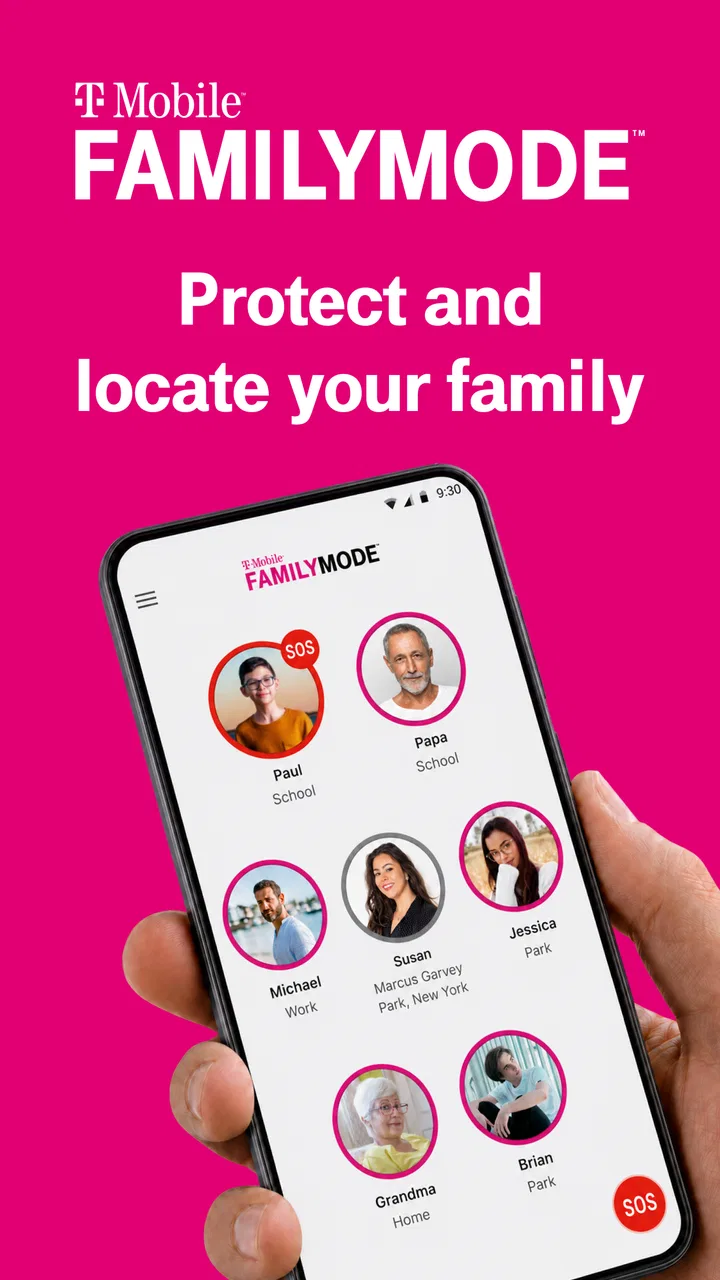
T-Mobile® FamilyMode™
- 4.4
- Rating
- 500.00K
- Installs
- Free
- Price

 Analysis by App-foxy
Managing a child’s phone is rarely about one dramatic restriction. In my experience, the difficult part is creating a routine that works on a school morning, during homework, at bedtime, and while the family is away from home. T-Mobile FamilyMode is a free parenting app from T-Mobile USA that brings those everyday decisions into one place. It is designed to help manage a family’s digital life both at home and on the go, rather than acting as a simple app blocker.
I approached it as a practical household tool, not as a way to monitor every second of a child’s day. That distinction matters. The app is most useful when parents agree on a few clear rules and use the controls consistently. If you want a calm way to organize screen access, pause connected devices, and make expectations easier to follow, it has a sensible role. If you expect a complete substitute for conversation, supervision, or every possible safety feature, you may find it narrower than expected.
Building a dependable family routine
The first useful step is to treat FamilyMode as a shared routine rather than an emergency remote control. I would begin by identifying the moments that repeatedly cause friction: getting ready for school, starting homework, eating dinner, and going to sleep. Instead of changing settings randomly whenever an argument begins, I would use the app to support rules the family has already discussed.
You May Also Like

 Blood Strike: 2.5 Anniversary
Blood Strike’s Loadouts Turn Every Drop Into a Tactical Gamble
A close look at Blood Strike’s custom loadouts: how fast access to signature weapons reshapes its battle royale rhythm, rewards preparation, and narrows the gap between fights.

 Pandora - Music & Podcasts
Pandora’s Music Is Easy to Start, but Harder to Recover
Pandora’s strength is its low-effort path from a seed to a station. Its weak spot is how much confidence it asks you to place in connection, setup, and quiet recovery.

 8 Ball Pool
 Is Built on Rivalries, Rematches, and Routine
A close look at the rivalries, rematches, shared routines, and unanswered safety questions that turn a quick pool match into a persistent mobile community.

 Samsung Music
’s Quiet Strength Is Playing What You Already Own
Its reach comes less from spectacle than from dependable access to a personal library. That simplicity is both the app’s strongest retention engine and its ceiling.

 AccuWeather: Weather Radar
AccuWeather Review: A Quick, Clear Forecast for Everyday Decisions
For everyday plans, the best forecast is the one you can understand quickly. AccuWeather makes rain timing, radar, and local conditions easy to act on, with a few trade-offs.

 Hill Climb Racing
Why Hill Climb Racing Still Turns Crashes Into One More Run
A tiny car, a bumpy hill and one more upgrade: Hill Climb Racing keeps resurfacing because its simple chaos makes every near-miss feel personal.
More From Our News Desk



That approach makes the controls easier for children to understand. A pause during dinner feels less personal when it is part of a regular household habit. Likewise, a bedtime restriction is easier to accept when everyone knows when it begins and what happens in the morning. The app becomes a framework for consistency, not just a button a parent presses when annoyed.
FamilyMode belongs to the parenting category, and its broad purpose is digital-life management. The developer is T-Mobile USA, and the app is available at no charge. It has an Everyone content rating, which describes the app itself rather than removing the need for parents to decide what is suitable for their own children.
A realistic example is a family with one child using a phone for school messages and another using a tablet for entertainment. Before leaving for school, the parent can check that the devices are available for necessary communication. In the afternoon, the family can shift attention toward homework and chores. Later, a planned quiet period can reduce late-night browsing without requiring the parent to repeatedly take the devices away by hand.
The important word in that scenario is “planned.” I found that digital parenting tools work better when they reduce repeated negotiations. A parent should not have to invent a new rule every evening. A repeatable pattern also gives children a clearer sense of when device access is expected and when it is not.
What I would set up first
I would start with the family members and devices that actually need managing, then test the arrangement while everyone is at home. This is more useful than waiting until a child is already out, traveling, or trying to finish homework. A short test can reveal whether the chosen device is being controlled as intended and whether the family understands the routine.
I would also explain the purpose of each rule before relying on it. “The phone is paused now” is less helpful than “we pause devices during dinner so nobody is distracted.” This is not a feature of the app, but it is the difference between a control that supports family life and one that simply creates resistance.
Another practical habit is to keep the number of changes small. Parents can easily spend too much time adjusting every possible condition. In my view, a few rules that are used every day are better than a complicated arrangement that nobody remembers. FamilyMode is strongest when it turns common household expectations into actions that are easy to repeat.
Settings worth checking before relying on them
Parents should review the app at a quiet time, not during a disagreement. I would look through the available family, device, access, and schedule controls carefully, then decide which ones match the home’s actual needs. The goal is not to activate everything. The goal is to understand what each setting changes and whether it applies to the right person or device.
One useful insight is to separate access management from parenting decisions. A pause or schedule can limit availability, but it cannot tell you whether a child is using a device responsibly when access is allowed. I would therefore use FamilyMode to create boundaries and continue checking in about schoolwork, social situations, and online judgment separately.
It is also worth checking the difference between home use and use away from home. The app’s purpose covers both situations, but a rule that makes sense on the household network may need a different family agreement when a child is traveling or using a device elsewhere. Before a trip, I would review what the child needs for communication, navigation, or schoolwork and avoid treating every off-site situation like a normal evening at home.
The app’s current version is 4.1.1, and it requires at least operating system version 9. That requirement is especially relevant in a family with older phones or tablets. Before planning a household rollout, I would check the devices rather than assuming every older device will work equally well. A family-control system is only useful when the devices that matter can participate reliably.
I would also make sure the parent knows how to reach the controls quickly. The value of a management app drops when the adult responsible for it cannot remember where a setting lives. Spending a few minutes learning the main screen and the most frequently used action is more valuable than exploring rarely needed options.
Faster patterns that reduce daily friction
Experienced use is less about constantly opening the app and more about creating repeatable moments for checking it. I would review the family setup once in the morning, once around the transition from school or work, and once before the household settles for the night. That rhythm is usually enough to catch problems without turning the parent into a full-time device administrator.
A second helpful pattern is to keep exceptions visible in conversation. If a child needs extra access for a project, a long journey, or an important message, say why the normal routine is changing and when it will return. This avoids the impression that rules are arbitrary. FamilyMode can support the change, but the explanation keeps trust intact.
For households with several children, I would avoid assuming that one rule fits everyone. A younger child may need a more structured routine, while an older child may need access for school coordination or travel. The app is more useful when parents apply its controls according to the child’s situation instead of using identical restrictions simply because that is easier.
There is also a useful distinction between a temporary pause and a standing habit. A pause can handle an unexpected moment, such as a family conversation or a last-minute change of plans. A regular schedule is better for recurring events. Mixing those purposes can make the system confusing, so I would reserve immediate interventions for unusual situations and let normal routines handle predictable ones.
Another non-obvious advantage is that a consistent digital routine can expose where the real problem is. If a child repeatedly needs an exception during homework, perhaps the rule is too broad or the device is being used for both school and entertainment. If bedtime arguments continue despite a restriction, the issue may be the transition itself rather than the setting. The app helps reveal these patterns, but parents still need to interpret them.
Where the controls reach their limits
No family-management app can replace a child’s judgment or a parent’s attention. FamilyMode can help organize access, but it should not be presented as proof that a child is safe, honest, or emotionally comfortable online. A child may still encounter difficult conversations, upsetting content, or social pressure during permitted use. Those issues require discussion and, when appropriate, direct involvement from a trusted adult.
I would also be cautious about using restrictions as a punishment for every disagreement. If access is removed unpredictably, children may focus on bypassing or arguing about the control instead of learning the reason behind the boundary. The app works better when parents explain the rule, apply it consistently, and review it as the child becomes more responsible.
Families should skip this app if they want an elaborate monitoring suite with every possible form of reporting, detailed behavioral analysis, or a highly specialized safety system. FamilyMode is a better fit for parents who want a straightforward way to coordinate device access and household expectations. Someone seeking a tool focused on one narrow concern may prefer an operating-system feature or a dedicated service built specifically for that concern.
It is also not the ideal choice for a household that does not use T-Mobile services or does not want to organize its digital routine around a carrier-associated product. Even when the app’s purpose sounds suitable, compatibility and setup expectations should be considered before a family depends on it. I would test the arrangement with the actual devices and daily habits first, rather than making it the only line of defense immediately.
Privacy and trust deserve attention too. Parents should tell children what kind of management is being used and why. Secretly changing access can produce short-term control but long-term suspicion. A transparent agreement is especially important with older children, who may reasonably expect more independence and a clearer explanation of household boundaries.
How it compares with ordinary alternatives
The most obvious alternative is handling everything manually: taking devices away, announcing dinner rules, and reminding children when bedtime begins. Manual control can work in a small household, but it depends heavily on the parent being present and consistent. FamilyMode’s practical advantage is that it gives those decisions a central place, making the routine less dependent on memory.
Built-in controls on Android or iOS can be a better option when a parent only needs to manage one platform or one child’s device. They may feel more direct for a single-phone household. FamilyMode becomes more appealing when the family wants a broader household routine rather than separate settings that must be remembered on every device.
Dedicated parental-control products may offer a deeper set of specialized tools, depending on the family’s priorities. That can be worthwhile for parents who need detailed oversight or more advanced safety workflows. The trade-off is usually added complexity. I prefer FamilyMode for a family that values a manageable routine and does not want digital parenting to become another technical project.
The app has an average rating of 4.2 from around 7,100 ratings, with more than 500,000 installs. Those figures suggest that it has found a substantial audience, but they should not decide the purchase by themselves. A family’s devices, expectations, and willingness to discuss rules matter much more than popularity.
My practical verdict after using the approach
What I like most is the way FamilyMode encourages parents to think in terms of routines: when devices are available, when they are put aside, and how those decisions change between home and travel. That is more useful than a collection of controls that nobody applies consistently. The strongest results come from combining a small number of settings with clear explanations and regular review.
What I would not do is install it and assume the family problem is solved. I would treat the first week as a trial period. Notice which rules create calm, which ones cause unnecessary conflict, and which devices or situations need a different approach. Then I would simplify the setup. The best arrangement is the one a parent can maintain without constant frustration.
Because it is free and rated for Everyone, trying it is relatively easy for families whose devices meet the operating-system requirement. The app was released on June 28, 2018, and its continued presence alongside a current version of 4.1.1 makes it a recognizable option for parents considering a structured approach. Still, I would judge it by how well it fits the household rather than by its age or store presence.
My final recommendation is straightforward: choose FamilyMode if you want a central, repeatable way to manage family device access and you are prepared to pair controls with conversation. Use it for predictable transitions, temporary interruptions, and household coordination. Do not choose it expecting a complete replacement for supervision, trust, or specialized online-safety tools.
For me, the app earns its place when it makes ordinary family moments easier: dinner without repeated reminders, homework with fewer distractions, and bedtime that does not depend entirely on a last argument. The real benefit is consistency, not control for its own sake. Used with that mindset, T-Mobile FamilyMode is a practical parenting app for families that want clearer digital boundaries without turning every device into a constant source of conflict.
FAQs for T-Mobile® FamilyMode™
01What is T-Mobile® FamilyMode™ and how does it work?
T-Mobile® FamilyMode™ is a comprehensive parental control app that helps you manage and monitor your family's internet usage across all devices. It allows you to set time limits, filter content, and track online activity to ensure a safe digital environment for your children. The app connects to your home network and mobile devices, providing real-time insights and control.
02Can I control internet access on individual devices using FamilyMode™?
Yes, FamilyMode™ allows you to manage internet access on each device individually. You can pause the internet, set daily limits, and establish bedtime schedules for specific devices, ensuring your children are online only when you want them to be. This feature is perfect for managing screen time and encouraging balanced online habits.
03Is T-Mobile® FamilyMode™ compatible with all devices?
FamilyMode™ is compatible with most iOS and Android devices, as well as various home network devices. However, it is essential to check the app's compatibility with your specific devices before downloading. The app requires a FamilyMode Home Base to connect with your home network, ensuring comprehensive control across all connected devices.
04Does FamilyMode™ offer content filtering options?
Yes, FamilyMode™ provides robust content filtering options that allow you to block inappropriate content and apps based on age-appropriate settings. You can customize filters for each child, ensuring they only access content that aligns with your family's values. The app also offers real-time alerts if your child attempts to access blocked content.
05How secure is the T-Mobile® FamilyMode™ app?
FamilyMode™ prioritizes user security and privacy. It uses encryption and secure connections to protect your data and ensure that only authorized users can access and manage the settings. Regular updates and support from T-Mobile enhance the app's security, providing peace of mind for parents concerned about online safety.
Pros
- Easy setup for all family devices.
- Customizable screen time limits.
- Location tracking for peace of mind.
- Pause internet with a single tap.
- Detailed activity reports available.
Cons
- Requires subscription for full features.
- Location tracking may drain battery.
- Some features can be glitchy.
- Limited control on certain apps.
- Initial setup can be time-consuming.

T-Mobile® FamilyMode™
Gallery